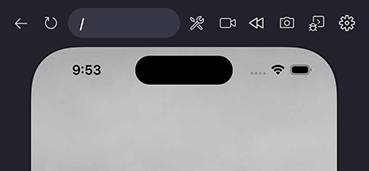
Device settings
Radon IDE allows you to adjust various device settings right from VSCode.
Opening the device settings
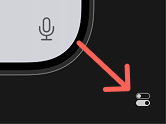
To open the device settings drop-down use the button on the bottom-right corner of the panel.
Device settings options
The opened device settings dropdown looks as follows:
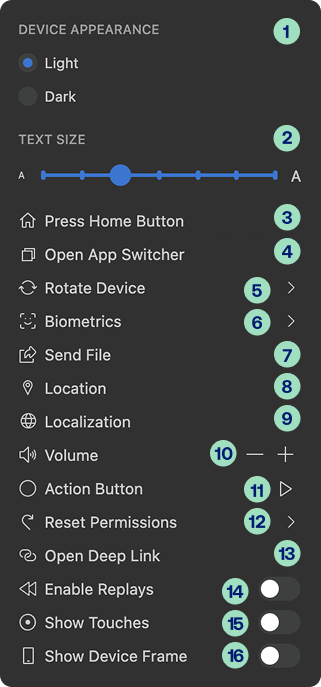
- Device Appearance - change between the light and dark mode.
- Text Size - a slider that allows to change the font size on the device.
- Press Home Button - simulate a press of the home button.
- Open App Switcher - open the app switcher to quickly switch between opened apps.
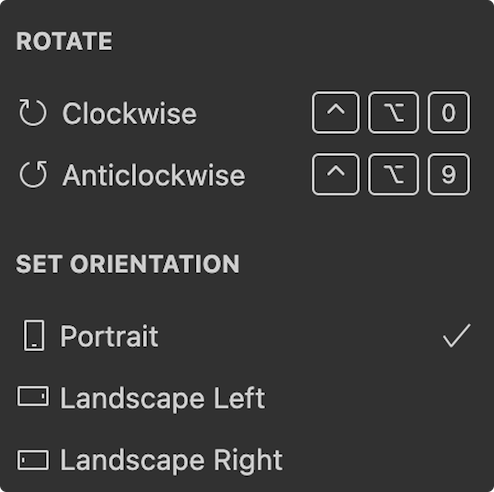
- Rotate Device - rotate the device or set its orientation.
Settings dropdown allows for rotating the device Clockwise and Anticlockwise as well as choosing from supported orientations: Portrait, Landscape Left and Landscape Right.
-
Biometrics - options for simulating biometric authorization on iOS. This option isn't available on Android. The following options are available:
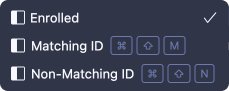
- Enrolled - controls whether the biometric authorization is enabled on the device,
- Matching ID - simulates Touch ID or Face ID successfully recognizing the user,
- Non-matching ID - simulates Touch ID or Face ID failing to recognize the user.
-
Send File - send a file from your machine to the device.
File sending also supports Drag and Drop - you can drag the file from the file explorer and drop it onto the device preview holding shift key.
- Location - enable location services and set static device geolocation using coordinates.
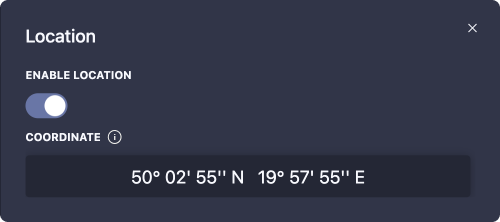


Supported formats
40.123, -74.123
40.123° N 74.123° W
40° 7´ 22.8" N 74° 7´ 22.8" W
40° 7.38’, -74° 7.38’
N40°7’22.8, W74°7’22.8"
40°7’22.8"N, 74°7’22.8"W
40 7 22.8, -74 7 22.8
40.123 -74.123
40.123°,-74.123°
144442800, -266842800
40.123N74.123W
4007.38N7407.38W
40°7’22.8"N, 74°7’22.8"W
400722.8N740722.8W
N 40 7.38 W 74 7.38
40:7:23N,74:7:23W
40:7:22.8N 74:7:22.8W
40°7’23"N 74°7’23"W
40°7’23" -74°7’23"
40d 7’ 23" N 74d 7’ 23" W
40.123N 74.123W
40° 7.38, -74° 7.38
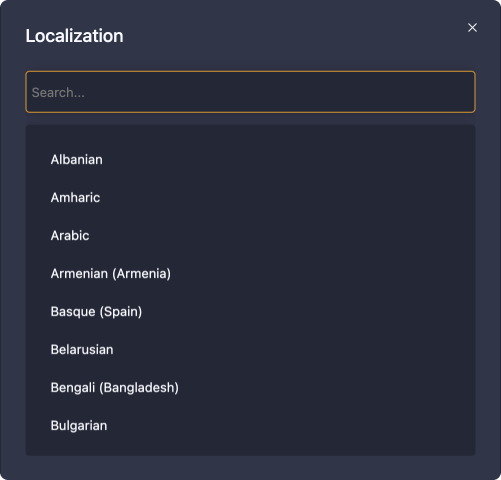
- Localization - set the device localization. Changing the localization setting reboots the device. This option isn't available on Android.
-
Volume - adjust the device volume using the minus and plus controls.
-
Action Button - simulate the press of device action button.
-
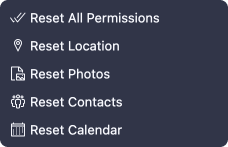
Reset Permissions - reset the device privacy permissions.
On iOS, you can reset all permissions, as well as reset location, photos, contacts and calendar. On Android, only resetting all permissions is supported.
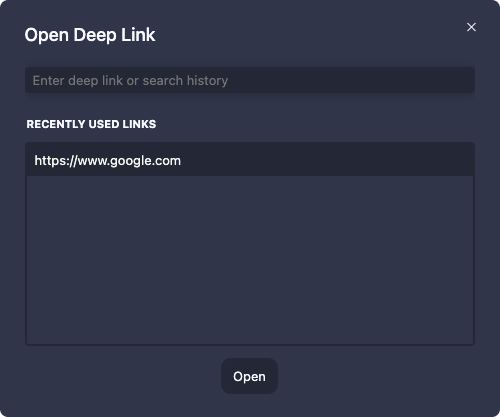
- Open Deep Link - open deep links and website URLs on the device. Website URLs open in the default device browser.
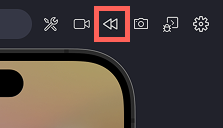
- Enable Replays - turn the "replay" functionality on or off. When enabled, a
Replaybutton appears in the Radon IDE panel.
-
Show Touches - toggle whether touch indicators are visible on the device preview.
-
Show Device Frame - toggle the device frame (bezels) in the preview on or off.